
How it works
How public posts become portfolio decisions.
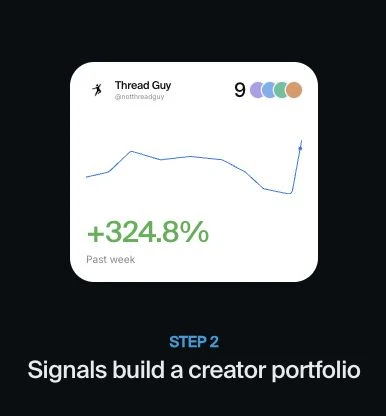
A creator’s portfolio changes when there is an actionable view on a supported asset. Every accepted signal links back to its source so you can see what prompted the change.
Finding the signal
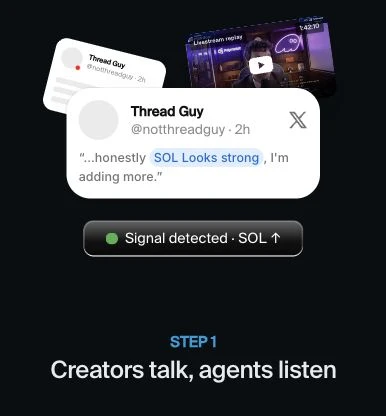
AI reviews the creator’s own words, available reply and quote context, and article content. It looks for a clear bullish view, bearish view, or exit from an asset, backed by evidence in the source.
Mentions alone are not enough. Neutral commentary, price recaps, someone else’s holdings, and obvious jokes or sarcasm should not become trades. Ambiguous statements may be skipped. Context helps, but interpretation can still be wrong.
For example, “I’m buying SOL for the long term” can be a signal to add SOL. “SOL is up 8% today” is a price observation and does not change the portfolio.
Choosing a tradable asset
A signal must map to the right asset, including its exact Solana token. A matching name or ticker alone is not enough, especially for stock proxies and similarly named memecoins.
Asset discovery starts with Tokens.xyz, then falls back to Jupiter. Jupiter supplies market and route checks. Current default requirements include:
| Check | Default requirement |
|---|---|
| Liquidity | At least $50,000 |
| 24-hour trading volume | At least $100,000 |
| Token age | At least 24 hours |
| Execution | An available swap route and supported token behavior |
A token can be skipped if it cannot be safely traded, even when the creator’s view is clear. A tokenized stock represents exposure through its issuer’s product; it is not the same as owning shares in a brokerage account.
Building the basket
- Bullish on a new eligible asset: add it to the portfolio.
- Bullish on an asset already held: keep it; a repeated mention does not automatically increase its weight.
- Bearish or exiting: remove the asset. This does not open a short position.
- At the 10-asset limit: adding a new asset removes the oldest remaining addition first.
Assets receive equal target weights when the composition changes. If only one asset is held, it is capped at 50%, with the rest in USDC. With two or more assets, the target is shared equally across them. If none remain, the portfolio holds USDC.
Adding or removing one asset changes the weights of the others. Those other changes are shown alongside the signal; they do not mean the creator made a fresh call on every token. Market movements can also make actual weights drift between updates.
Following updates
The Composition tab shows the creator’s latest target. Signals shows the evidence and resulting changes.
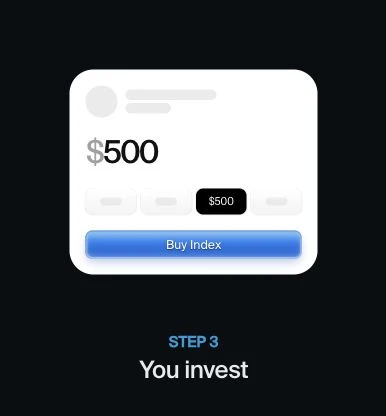
With Auto trade on, the system trades your portfolio wallet toward new compositions. With it off, you keep your current holdings and can use Update composition when you want to follow the latest target.
Some swaps can succeed while others fail or are skipped. Your wallet keeps the assets bought and any unspent USDC. An incomplete update can leave your position different from the target until the remaining trades succeed. Turning Auto trade off does not sell your holdings.